Enforcing Compliance with Azure Policy
Cloud environments scale fast—and without guardrails, they scale chaotically. As teams move quickly, resources can be deployed with insecure configurations, inconsistent tagging, or unexpected cost implications. Left unchecked, this sprawl creates operational risk and makes compliance difficult to prove.
Azure Policy acts as your built-in compliance enforcer. It ensures that resources adhere to organizational standards automatically, helping maintain security, consistency, and operational efficiency as your environment grows.
You will quickly realize that cloud environments can scale faster than governance can keep up—leading to misconfigurations, security gaps, and cost inefficiencies. Azure Policy acts as your automated compliance enforcer, ensuring that all deployed resources adhere to organizational standards.
This article explains how Azure Policy helps maintain control without slowing innovation. You will learn how to enforce encryption, require tags for cost and ownership tracking, restrict deployments to approved regions or SKUs, and prevent non-compliant resources before they go live. By leveraging built-in policies, custom definitions, initiatives, and integration with management groups or CI/CD pipelines, you will gain a scalable, proactive approach to cloud governance.
By the end, you will understand how to implement Azure Policy effectively, monitor compliance, remediate non-compliant resources, and establish consistent guardrails—enabling your organization to innovate quickly while maintaining operational efficiency, security, and compliance in the cloud.
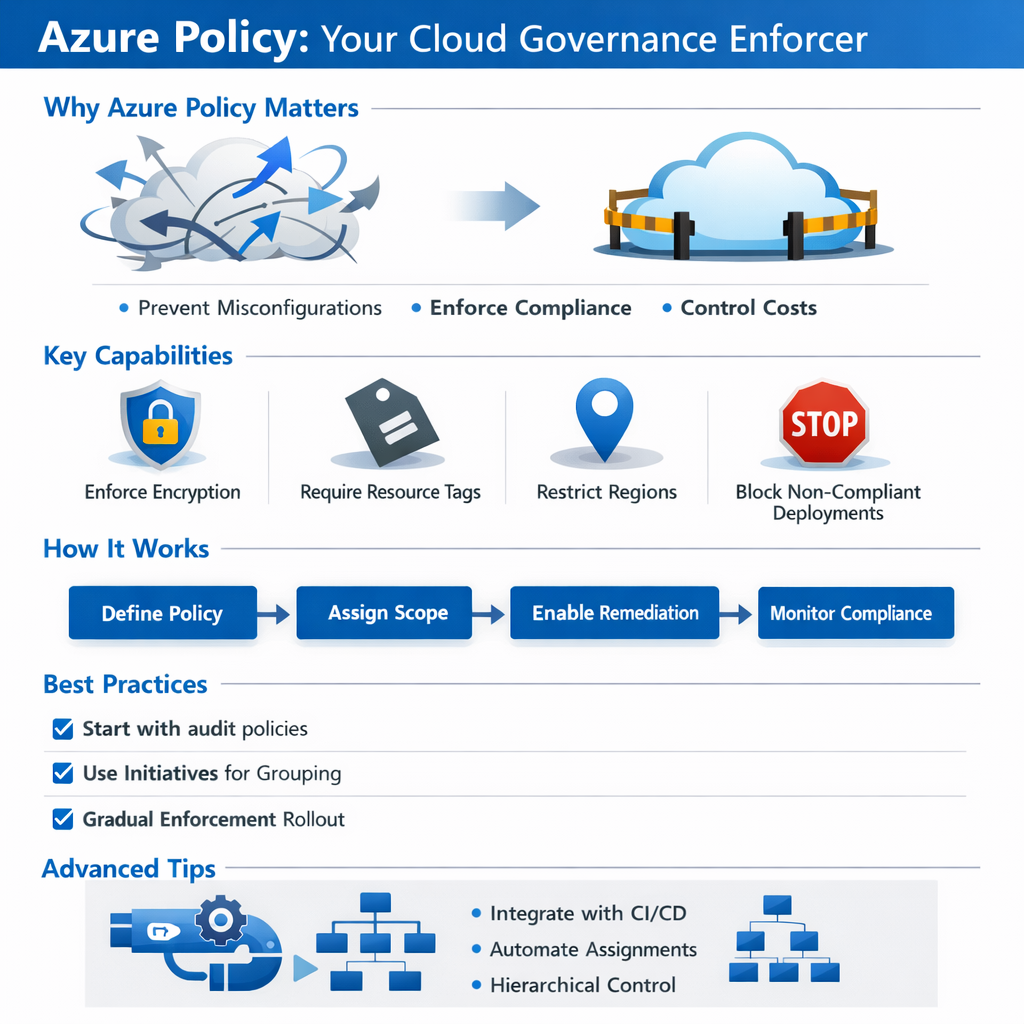
Why Azure Policy Matters
Without governance controls, even well-intentioned teams can deploy resources that violate security baselines or cost management standards. Azure Policy helps organizations move fast without losing control.
With Azure Policy, you can:
- Enforce encryption on storage accounts and databases
- Require tags for cost allocation, ownership, and lifecycle management
- Restrict deployments to approved regions, SKUs, or services
- Prevent non-compliant configurations before they ever go live
Microsoft positions Azure Policy as a cornerstone of governance within the Cloud Adoption Framework, enabling organizations to scale securely while maintaining compliance.
Governance With Guardrails
Why did the virtual machine get grounded?
Because it broke the policy.
That’s exactly how Azure Policy works. Instead of relying on after-the-fact reviews or manual audits, policies act as guardrails—either flagging violations or stopping misconfigurations outright. Resources that don’t behave simply don’t get deployed.
How to Implement Azure Policy
Azure Policy can be implemented incrementally, making it suitable for both new and existing environments. There are a few caveats before we jump in:
Remediation limitations
- Not all policies support automatic remediation. Some only flag violations.
- It’s worth noting that remediation tasks may require privileged access / managed identity to correct resources.
Built-in policies
- We cover a handful of examples (storage encryption, tags, approved regions), but there are hundreds of built-in policy definitions for security, networking, cost, and governance.
Azure Blueprints
- Blueprints are being phased into ARM templates + Policy initiatives in some scenarios. Still valid but note that future deployments may rely more heavily on combined initiative + CI/CD automation.
Scope hierarchy
- Policies at the Management Group level override subscriptions/resource groups unless explicitly excluded.
Monitoring
- Compliance data in the dashboard can lag up to 30 minutes or more, depending on resource type.
Let’s create a policy together!
1. Sign in to the Azure Portal
Navigate to Azure Policy from the portal search bar.
2. Create or Select a Policy Definition
- Use built-in definitions for common scenarios
- Example: Require encryption on all storage accounts
- Create custom policies for organization-specific requirements
3. Assign the Policy
- Choose a scope: Management Group, Subscription, or Resource Group
- Configure parameters to match your standards
- Exclude specific resources if necessary
4. Enable Remediation
- Automatically correct non-compliant resources where supported
- Use managed identities to apply fixes safely
5. Monitor Compliance
- Review the compliance dashboard
- Track trends, violations, and remediation status over time
Best Practices for Policy Success
To avoid friction and maximize adoption:
- Start with audit or deny-with-exceptions policies
- Roll out enforcement gradually
- Use initiatives (policy sets) to group related policies
- Align policies with internal standards and architecture guidelines
- Regularly review compliance reports with stakeholders
Governance works best when it’s predictable and transparent.
Advanced Tips for Mature Environments
For organizations with advanced governance needs:
- Combine Azure Policy with Management Groups for hierarchical control
- Use Azure Blueprints to deploy policies, roles, and templates together
- Automate assignments using PowerShell or REST APIs
- Integrate policy compliance into CI/CD pipelines to shift governance left
These approaches turn Azure Policy into a proactive governance platform rather than a reactive control.
Closing Thoughts
Azure Policy isn’t just about security—it’s about consistency, control, and confidence. By enforcing standards automatically, it allows teams to innovate quickly without sacrificing governance.
Implement Azure Policy early in your cloud journey, and you’ll spend far less time cleaning up misconfigurations later. In the cloud, good policies don’t slow you down—they keep you on track.