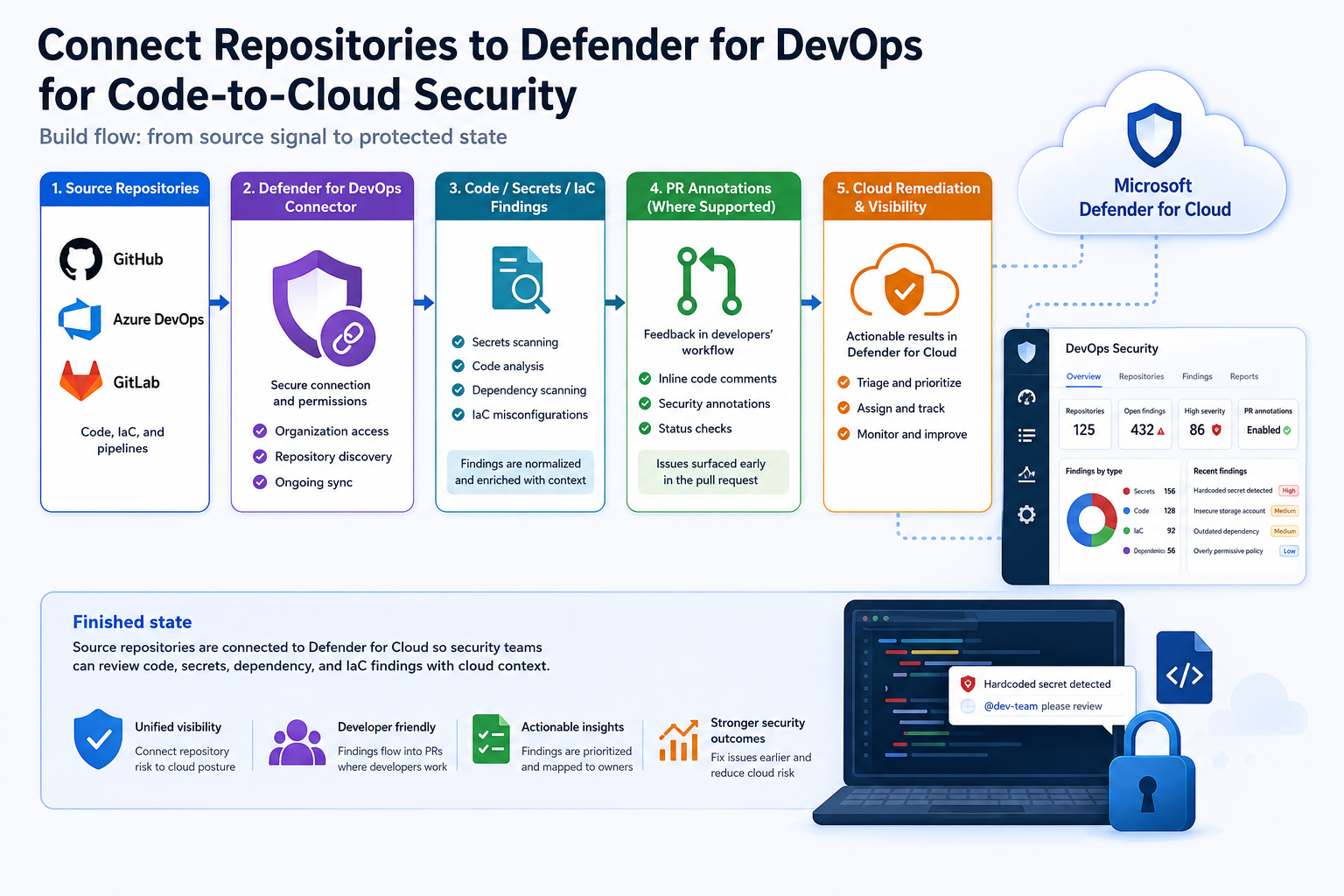
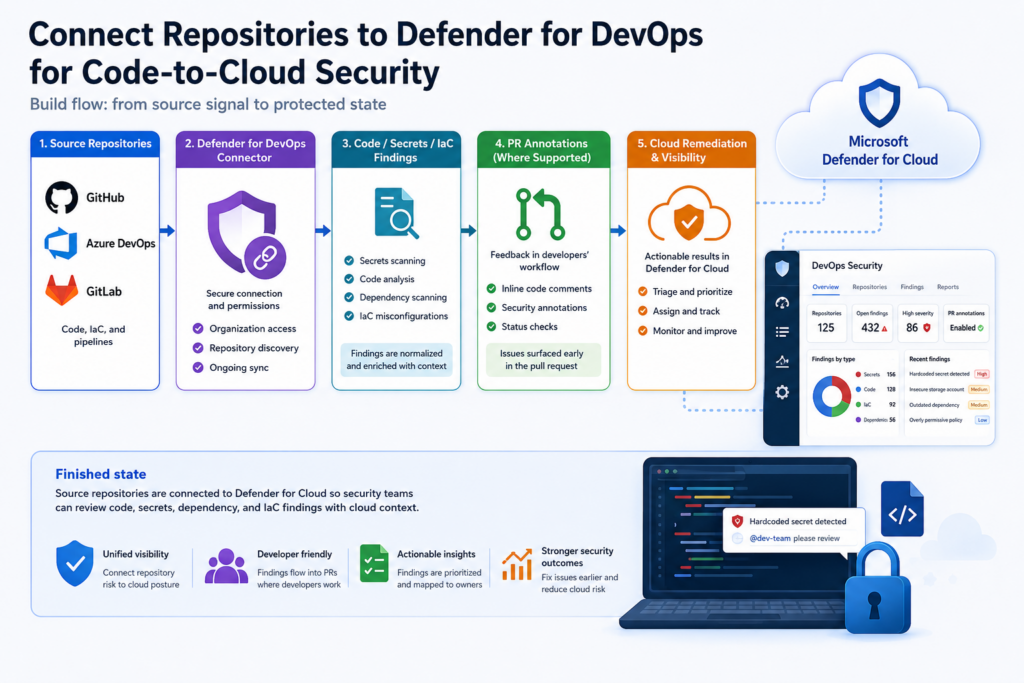
Goal: Connect repositories to Defender for DevOps and validate code, secret, and infrastructure-as-code findings in the cloud security workflow.
Cloud risk often starts before a resource is deployed. Hardcoded secrets, overly permissive infrastructure-as-code, and vulnerable dependencies can enter the environment through normal development workflows if repository security is disconnected from cloud posture.
This walkthrough connects a repository source to Defender for DevOps, validates that findings appear, and shows how to make the results actionable through owners, pull requests, and remediation workflow. The result is a bridge between engineering repositories and Defender for Cloud.
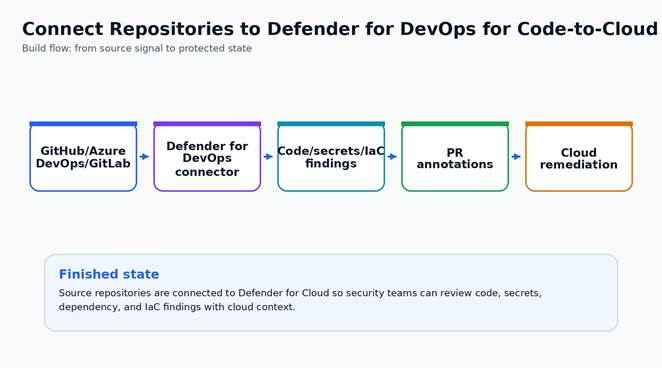
Figure 1. Small architecture diagram for the build path and finished state.
Why build this
Defender for DevOps is useful when security wants repository context connected to cloud risk. It helps surface code and pipeline issues where engineers work while giving cloud security teams visibility in Defender for Cloud.
The first connection should use a non-critical repository or a small project scope so permissions, annotations, and finding volume can be validated before onboarding the full organization.
Security outcome
- Repository and pipeline security findings become visible in the Defender workflow.
- Developers can see actionable findings such as secrets, IaC issues, or code scanning results.
- Security teams can connect repository risk to deployed cloud posture instead of reviewing code and cloud findings separately.
What you will deploy or configure
- A DevOps connector for the selected source control platform.
- Repository inventory in Defender for Cloud.
- Pull request annotation plan where supported.
- A workflow to remediate one code or IaC finding.
| Microsoft baseline: Connect only the organization or project scope that the security team is ready to review. Defender for DevOps is most valuable when findings are routed back to developers with ownership and pull request context. |
| Special Highlight: Create a “security starter repo” with intentionally safe sample findings. Use it to test annotations, routing, and severity thresholds before onboarding critical production repositories. |
Prerequisites
- Admin access to the source control organization or group.
- Defender for Cloud permissions to create DevOps connectors.
- Developer owner for the pilot repositories.
- Decision on PR annotations and workflow integration.
Before-state checklist
Capture the before state first. This gives the article stronger screenshots, helps readers understand what changed, and gives administrators a clean rollback reference.
- Record the current plan, policy, connector, rule, identity, or workspace setting before making changes.
- Capture current access behavior or alert visibility so the final validation has a clear before/after comparison.
- Confirm the owner for the resource and the person who can approve rollback if the pilot exposes a dependency.
- Check whether existing logs, alerts, or recommendations already exist so the article does not confuse old data with new validation evidence.
Lab build
Select one Azure DevOps project or GitHub organization/repository group. Connect it to Defender for DevOps, confirm permissions, and validate a small set of findings before expanding. Learn more here.
- Choose a pilot repository that contains infrastructure code or deployment pipelines but has an active owner.
- In Defender for Cloud, open DevOps security and add the relevant Azure DevOps, GitHub, or GitLab environment.
- Authorize the connector with the minimum permissions required for inventory and scanning.
- Verify repository inventory and advanced security status. Microsoft documents inventory fields such as advanced security status, PR annotation status, and findings by type.
- Enable PR annotations where supported and where developers expect feedback during code review.
- Triage one finding: secret, dependency, IaC misconfiguration, or code scanning issue. Fix it in a branch and verify the finding clears.
- Document ownership: security owns policy, development owns code fix, platform owns pipeline integration.
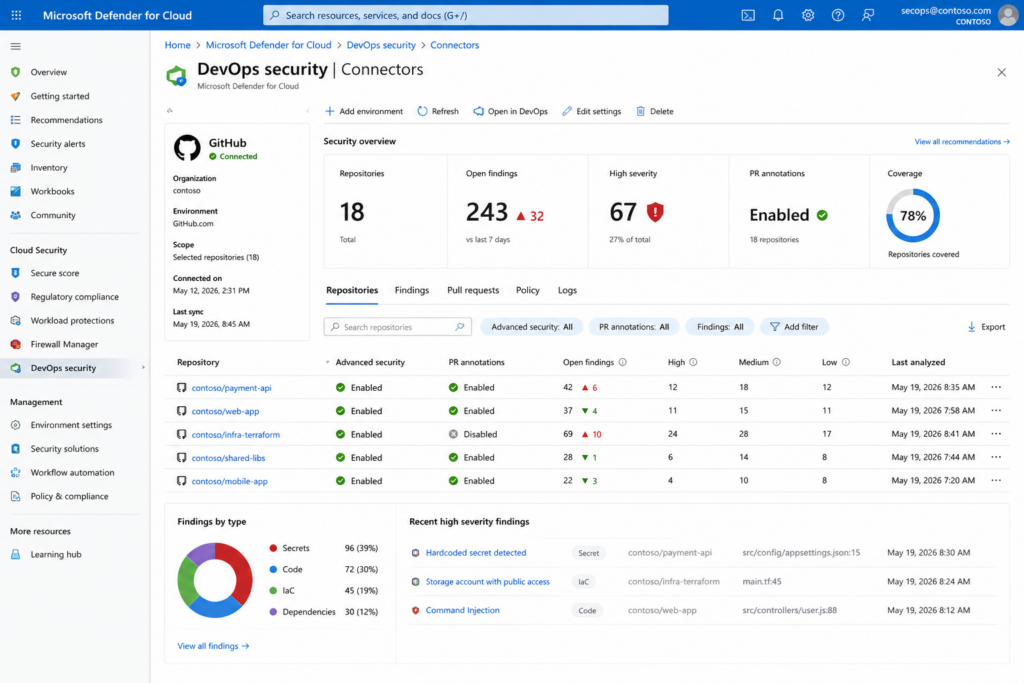
Fig. The image shows a GitHub Connector with multiple repos to illustrate typical findings, classifications, and Recommendations.
Change-window notes
- Schedule the pilot when a resource owner can validate application behavior immediately after the change.
- Keep the first production change intentionally narrow. A smaller but verified rollout is better than a broad rollout with uncertain impact.
- Do not remove the old control path until the new validation evidence is captured and reviewed.
- For controls that can affect traffic flow, authentication, backup retention, or alert volume, pre-stage the rollback steps in the change ticket.
Get Hands-On!
Use the following block as a starting point for validation or implementation. Replace names, scopes, and resource identifiers before using it in production.
#Example repository policy checklist
# – Secret scanning enabled or findings visible
# – IaC findings reviewed before merge
# – PR annotation owner assigned
# – Critical findings block release through an agreed process, not surprise enforcement
Production hardening
For production, integrate findings into the development process. Use pull request annotations, branch policies, and documented severity thresholds so Defender for DevOps becomes part of the engineering workflow instead of a separate report.
- Treat this control as part of the normal security operations backlog, not as a one-time portal configuration. Assign a named owner and review cadence before wider rollout.
- Use tags or a documented inventory to identify owner, environment, data sensitivity, and business criticality before expanding beyond the pilot.
- Separate deployment permission from approval permission. Security controls are stronger when one identity cannot both weaken and approve the control.
- Send logs, alerts, or audit evidence to the existing SOC workflow instead of creating a new place that nobody checks.
- Create an exception process with owner, expiry date, business justification, and compensating controls.
- Add the configuration to your normal change-management and monthly control-review process.
Operational handoff
- Add the new control to the monthly security review or platform operations checklist.
- Record the expected alert owner, escalation path, and response time for findings created by the control.
- Store the validation query, screenshot checklist, and rollback notes with the service runbook.
- Review exceptions quarterly and remove any exception that no longer has a business owner or expiry date.
Finished-state validation
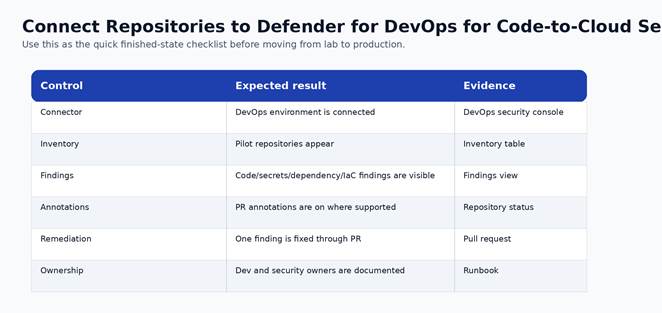
Figure 2. Finished-state validation chart for the completed build.
| Control | Expected result | Evidence to capture |
| Connector | DevOps environment is connected | DevOps security console |
| Inventory | Pilot repositories appear | Inventory table |
| Findings | Code/secrets/dependency/IaC findings are visible | Findings view |
| Annotations | PR annotations are on where supported | Repository status |
| Remediation | One finding is fixed through PR | Pull request |
| Ownership | Dev and security owners are documented | Runbook |
Cost and licensing notes
Defender for DevOps capabilities depend on Defender for Cloud and source platform features. Confirm licensing for the source platform and Defender plan before broad onboarding.
For publication, add a tenant-specific cost note after the pilot. A good AzureTracks post should tell readers where cost can change without attempting to replace the official pricing calculator.
Known limitations and edge cases
- Feature depth varies across Azure DevOps, GitHub, and GitLab.
- PR annotation availability is not identical for every provider.
- Findings require developer workflow integration to become actionable.
Troubleshooting
- If the control does not appear enabled, re-check RBAC at the subscription and resource scope before changing the configuration again.
- If logs or recommendations do not appear immediately, confirm documented data latency before assuming the deployment failed.
- If a production dependency breaks, stop expansion, capture the failing path, and compare it against the before-state inventory.
- If an alert is noisy, tune scope and ownership first. Do not suppress security signals globally without a review record.
Rollback or cleanup
- For lab resources, remove the pilot association, policy assignment, connector, rule, or configuration after screenshots and validation are complete.
- For production resources, rollback should be a controlled change that restores the last known-good configuration and preserves audit evidence.
- For irreversible settings, such as locked backup immutability, rollback is not available. Treat the approval step as the control point.
Conclusion
Connecting repositories to Defender for DevOps helps security teams identify risk earlier in the software delivery lifecycle, before vulnerable code, exposed secrets, or misconfigured infrastructure reaches production. By bringing repository findings into Defender for Cloud, organizations gain a unified view of application, infrastructure, and cloud security signals across the development pipeline.
A successful rollout is not measured by connector deployment alone. The real value comes from integrating findings into developer workflows, assigning ownership, establishing remediation expectations, and validating that issues can be identified and resolved efficiently. Starting with a pilot repository allows teams to refine permissions, annotation behavior, severity thresholds, and operational processes before expanding to broader development environments.
As your program matures, use Defender for DevOps findings alongside cloud posture, workload protection, and threat detection capabilities to create a complete code-to-cloud security strategy. The goal is to help developers address security issues where they work while providing security teams with the visibility and governance needed to reduce organizational risk at scale.