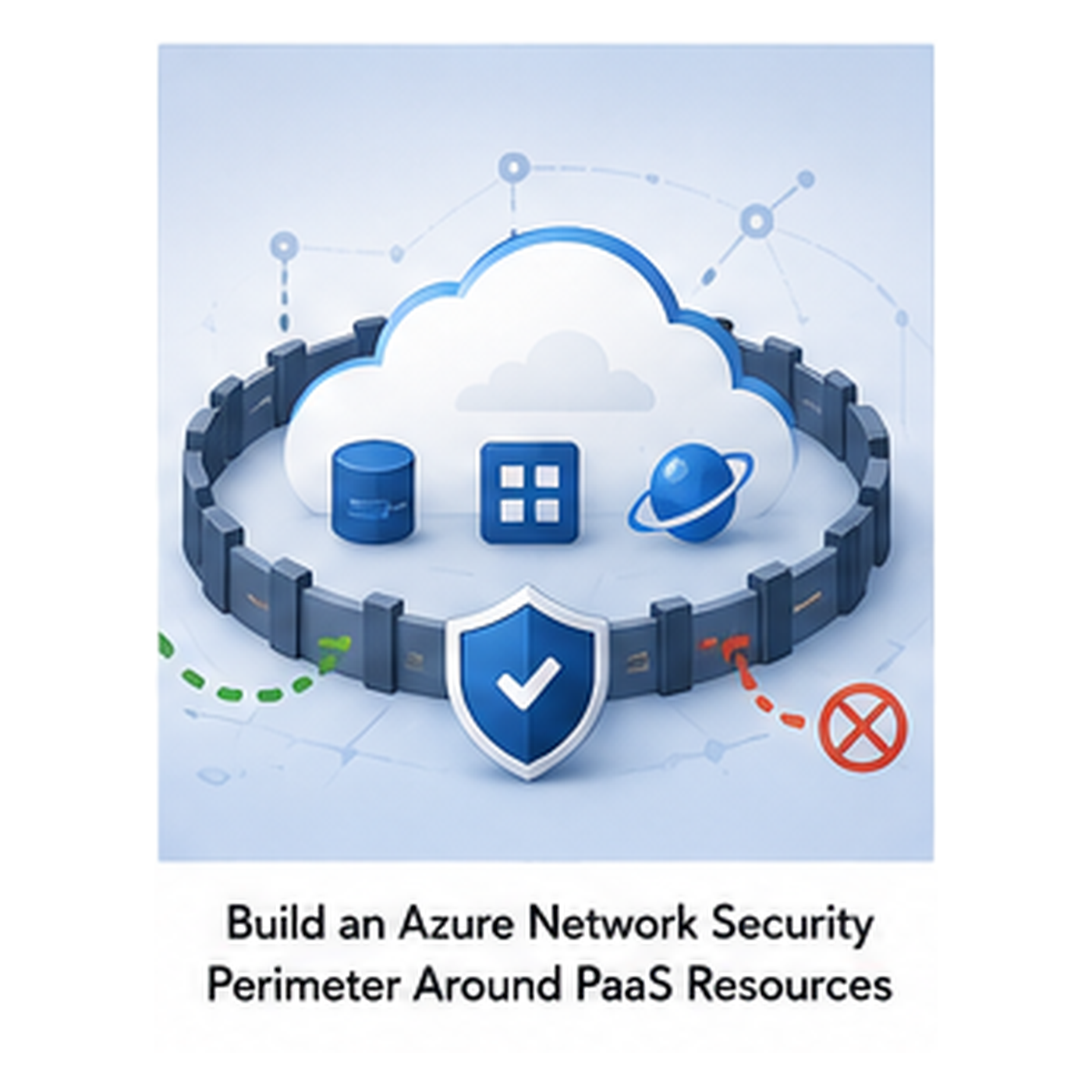
PaaS resources are easy to deploy and easy to expose. Firewalls, private endpoints, and resource-level network rules help, but teams still need a consistent way to define which public inbound and outbound paths are acceptable for supported PaaS services.
This walkthrough builds a small Azure Network Security Perimeter pilot, associates supported PaaS resources, defines access rules, and validates the before and after behavior. The article is written for infrastructure engineers who need to reduce public exposure without breaking legitimate service access.
Goal: Create a Network Security Perimeter around selected Azure PaaS resources and validate allowed and denied access paths.

Why build this
Network Security Perimeter is useful when supported PaaS resources need a logical boundary that reduces accidental public exposure and data-exfiltration paths. It should be tested carefully because access rules can affect real application dependencies.
The safest starting point is a non-production resource with known access patterns. Validate both allowed and blocked flows before associating broader production resources.
Security outcome
- Public network access is constrained through an explicit perimeter and rule model.
- Allowed administrative and workload flows are documented before enforcement expands.
- Blocked access is tested and captured as evidence, reducing reliance on configuration screenshots alone.
What you will deploy or configure
- A pilot Network Security Perimeter.
- One or more associated PaaS resources such as Storage, Key Vault, SQL, or Log Analytics where supported.
- Explicit inbound and outbound access rules.
- Before and after access tests.
| Microsoft baseline: Start in audit or pilot scope where possible and validate every dependency before enforcing. A perimeter changes public network access behavior and can break legitimate integrations if dependencies are unknown. |
| Special Highlight: Use NSP as a complement to Private Link, not a replacement. Private endpoints handle private connectivity; NSP helps reduce public network exfiltration and unexpected public access paths for supported PaaS resources. |
Prerequisites
- Supported resource types in a non-critical pilot resource group.
- You may want to deploy one of the PaaS resources important in your own scenario into a test subscription or tenant so that you can test away from production resources.
- Known source IPs, service dependencies, and administrative access paths.
- A rollback plan for removing an association or returning to prior network rules.
Before-state checklist
Capture the before state first. This creates documentation that you and administrators can use to determine what has been changed, and helps with Change Approval Board (CAB) requests when you or your team are ready to move changes to production.
- Record the current plan, policy, connector, rule, identity, or workspace setting before making changes.
- Capture current access behavior or alert visibility so the final validation has a clear before/after comparison.
- Confirm the owner for the resource and the person who can approve rollback if the pilot exposes a dependency.
- Check whether existing logs, alerts, or recommendations already exist so the article does not confuse old data with new validation evidence.
- A great example of this is the Microsoft Defender for Cloud dashboard. You can see resources in-scope, recommendations, CSPM current configurations & more.
Lab build
Start with one supported PaaS resource and one known client path. Record current access behavior, associate the resource with the perimeter, then validate allowed and blocked flows before adding more resources.
Overall Lab build:
- Inventory the PaaS resource and current public network rules. Capture what is allowed today before changing the access model.
- Create a Network Security Perimeter in the same governance scope as the resources you want to pilot.
- Associate one low-risk PaaS resource with the perimeter. Do not start with Key Vault or production storage used by deployment pipelines unless every dependency is known.
- Create inbound rules for approved administrative IP ranges and trusted Azure service dependencies.
- Create outbound rules only where the resource must reach other public endpoints. Deny-by-default thinking should guide the design, but do not remove documented service dependencies.
- Run access tests from allowed and disallowed locations. Confirm the intended traffic works and the unintended public path fails.
- Move from pilot to production by resource class, not by subscription-wide bulk change.
Detailed Lab build
Start with one supported PaaS resource and one known client path. The first pass is not about securing every resource in the subscription; it is about proving the access model, capturing the before state, and validating that approved traffic still works while unintended public access fails. Microsoft recommends using transition mode first to understand current access patterns, then moving to enforced mode when the rules are known.
Use a low-risk, non-production PaaS resource that is supported by Network Security Perimeter. A storage account is a practical pilot when it is not used by deployment pipelines, backup jobs, data exports, or production applications. The client path should also be known, such as an administrator workstation with a static public IP, a jump host, or a controlled test VM.
- Pilot resource: one supported PaaS resource in a non-production resource group.
- Allowed client path: one approved public IP range or approved subscription-based source.
- Blocked client path: one external network that should not have public access.
- Validation method: a portal operation, CLI command, PowerShell command, or application health check that proves the data-plane behavior.
Recommendation:
Do not start with Key Vault or production storage used by deployment pipelines unless every dependency is known. A missed dependency can break secret retrieval, deployment automation, backup, monitoring, or application startup.
Step 1 – Inventory the current access model
Before creating the perimeter, record how the resource is reachable today. This is the rollback reference and the evidence that proves the article changed something real.
- Open the selected PaaS resource in the Azure portal and review the Networking blade.
- Record whether public network access is enabled, disabled, limited by firewall rules, or already restricted by private endpoints.
- Export or copy the current firewall rules, IP allow lists, virtual network rules, private endpoint connections, and trusted service settings.
- Identify service dependencies that may still need access after the perimeter is applied. Examples include monitoring, deployment automation, backup, integration jobs, data export, security scanning, and administrative access.
- Run a baseline access test from the approved client path and from a disallowed public path. Save the result as before-state evidence.
For a storage account pilot, a simple baseline test can be a blob list or file share listing from the allowed client path. Use your actual service operation for other PaaS resource types. The important point is to prove access behavior before the control is changed.
Try this in Azure CLI as an example, update the storage account and container names:
az storage blob list --account-name <storage-account-name> --container-name <container-name> --auth-mode login --output tableStep 2 – Create the Network Security Perimeter
Create the Network Security Perimeter in the same governance scope as the resources you want to pilot: the same subscription strategy, resource group ownership model, naming convention, tagging model, and change-management process used by the target PaaS resource.
Let’s dig in!
- In the Azure portal, search for Network security perimeters and select Create.
- Choose the subscription and resource group that match the pilot governance scope.
- Use a clear name such as nsp-pilot-prodconnectivity or nsp-shared-paas-pilot. Avoid names that include user names, customer names, ticket numbers, or sensitive information.
- Create a profile for the first resource class.
- For example, create a storage-profile for storage accounts rather than mixing storage, Key Vault, and messaging services into the same first profile.
- Add diagnostic settings if your environment requires audit evidence. Send logs to a Log Analytics workspace, storage account, or Event Hub that is appropriate for your logging architecture and supported for the scenario.
Keep the first profile narrow. A profile should group resources with similar inbound and outbound access requirements. If two resources have different dependency patterns, they should not be forced into the same pilot profile just to simplify the first deployment.
Step 3 – Associate one low-risk PaaS resource
Associate one low-risk PaaS resource with the perimeter first. Use transition mode for the initial observation period where available, then move to enforced mode only after the intended access rules are documented and tested. In enforced mode, public traffic is denied by default unless an allow rule exists.
- Add the selected PaaS resource to the Network Security Perimeter profile.
- Start in transition mode when the environment needs discovery time. Review observed access patterns before enforcement.
- Confirm the association appears on the resource and in the perimeter profile.
- Do not associate additional resources yet. Finish the full test cycle on the first resource before expanding.
Special Highlight: For production readiness, keep a short pilot window between transition and enforcement. Transition mode is useful for discovery, but leaving controls in observe-only mode for a long period can create a false sense of protection.
Step 4 – Create inbound allow rules
Create inbound rules for approved administrative IP ranges and trusted Azure service dependencies. The rule design should be explicit enough that a future reviewer can understand why the path exists.
- Add an inbound IP-based rule for the approved administrative public IP range or ranges.
- Add subscription-based inbound rules only where that is the approved pattern for the dependency and the resource supports it.
- Use narrow source ranges. Avoid broad 0.0.0.0/0 allowances in a perimeter pilot because they defeat the purpose of validating a restricted public path.
- Document every allowed source with an owner, business purpose, expiry or review date, and validation method.
Microsoft supports inbound access rules based on IP address ranges and subscriptions. Subscription-based rules have authentication caveats, including scenarios where SAS-token requests are not supported, so confirm the authentication method used by the resource before relying on that pattern.
Step 5 – Create outbound allow rules only where required
Outbound rules should be added only where the PaaS resource must reach public endpoints outside the perimeter. Deny-by-default thinking should guide the design, but do not remove documented service dependencies just to make the rule set look cleaner.
- Review the dependency inventory from Step 1 and identify required outbound public destinations.
- Create FQDN-based outbound rules only for destinations that are required and approved.
- Avoid wildcard destinations unless the service documentation requires them and the exception is approved.
- Record each outbound FQDN with owner, purpose, evidence, and review date.
For many PaaS resources, the first pilot may not need outbound public rules. Do not create outbound allowances simply because the portal asks for a rule section. A clean empty outbound rule set is better than an undocumented allowance.
Step 6 – Validate allowed and blocked flows
Run the same access tests captured in the before state. The validation should prove two things: the approved path still works, and the unintended public path fails. Both results matter.
- From the approved administrative IP range, run the selected data-plane test. Expected result: success.
- From a disallowed public network, run the same data-plane test. Expected result: blocked or denied.
- From any required application or service dependency, run the application health check or resource-specific operation. Expected result: success only if the dependency was intentionally allowed.
- Review perimeter logs or resource logs where available. Expected result: evidence of the allowed and blocked flows, with no unexpected dependency failures.
- Capture the rule configuration and the test results before expanding to another resource.
# Access validation matrix
# Approved admin IP -> expected result: allowed
# Unapproved public client -> expected result: denied
# Required service dependency -> expected result: allowed only when documented
# Private endpoint path -> expected result: continue to use Private Link path where configured
Step 7 – Move from pilot to production carefully
Move from pilot to production by resource class, not by subscription-wide bulk change. Finish storage account validation before moving to Key Vault, Event Hubs, Service Bus, Log Analytics, or SQL because each class has different dependency and authentication patterns.
- Group resources by class, owner, environment, and dependency pattern.
- Create a production rollout batch with a small number of similar resources.
- Repeat inventory, association, rule creation, validation, and rollback review for each batch.
- Stop expansion immediately if a dependency is discovered that was not in the before-state inventory.
- After the first production batch succeeds, add the control to the normal platform governance review so new PaaS resources are evaluated before they become externally reachable.
The production success criteria should be simple: approved paths work, unintended public paths fail, logs or screenshots prove the result, and the resource owner signs off before the next batch starts.
Change-window notes
Schedule the pilot when the resource owner can validate application behavior immediately after the change. Keep the first production change narrow, do not remove the old control path until evidence is captured, and pre-stage rollback steps in the change ticket.
- Schedule the pilot when a resource owner can validate application behavior immediately after the change.
- Keep the first production change intentionally narrow. A smaller but verified rollout is better than a broad rollout with uncertain impact.
- Do not remove the old control path until the new validation evidence is captured and reviewed.
- For controls that can affect traffic flow, authentication, backup retention, or alert volume, pre-stage the rollback steps in the change ticket.
Production hardening
In production, treat perimeter rules like firewall policy. Every rule should have an owner, purpose, review date, and documented dependency. Avoid using broad allowances to compensate for incomplete dependency mapping.
- Treat this control as part of the normal security operations backlog, not as a one-time portal configuration. Assign a named owner and review cadence before wider rollout.
- Use tags or a documented inventory to identify owner, environment, data sensitivity, and business criticality before expanding beyond the pilot.
- Separate deployment permission from approval permission. Security controls are stronger when one identity cannot both weaken and approve the control.
- Send logs, alerts, or audit evidence to the existing SOC workflow instead of creating a new place that nobody checks.
- Create an exception process with owner, expiry date, business justification, and compensating controls.
- Add the configuration to your normal change-management and monthly control-review process.
Operational handoff
- Add the new control to the monthly security review or platform operations checklist.
- Record the expected alert owner, escalation path, and response time for findings created by the control.
- Store the validation query, screenshot checklist, and rollback notes with the service runbook.
- Review exceptions quarterly and remove any exception that no longer has a business owner or expiry date.
Finished-state validation

Figure 2. Finished-state validation chart for the completed build.
| Control | Expected result | Evidence to capture |
| Association | Pilot resource is associated with perimeter | NSP associations |
| Inbound allow | Approved admin path succeeds | Access test |
| Inbound deny | Unapproved public path fails | Access test |
| Outbound rules | Only documented destinations are allowed | Rule review |
| Logs | Denied attempts are reviewable | Activity/log review |
| Rollback | Association removal has been tested in lab | Rollback notes |
Cost and licensing notes
Network Security Perimeter itself should be evaluated with current Azure pricing and regional support. The larger cost is engineering validation time because PaaS dependencies must be tested carefully.
Known limitations and edge cases
- NSP support varies by resource type and region.
- It does not eliminate the need for identity controls, RBAC, private endpoints, or data-plane authorization.
- Poorly planned enforcement can interrupt service integrations.
- One trick to managing rules is to utilize IaaC or Infrastructure as Code. Using Azure DevOps to manage your infrastructure deployments gives a great opportunity to document requestor, owner, and details on why a change is made.
Troubleshooting
- If the control does not appear enabled, re-check RBAC at the subscription and resource scope before changing the configuration again.
- If logs or recommendations do not appear immediately, confirm documented data latency before assuming the deployment failed.
- If a production dependency breaks, stop expansion, capture the failing path, and compare it against the before-state inventory.
- If an alert is noisy, tune scope and ownership first. Do not suppress security signals globally without a review record.
Rollback or cleanup
- For lab resources, remove the pilot association, policy assignment, connector, rule, or configuration after screenshots and validation are complete.
- For production resources, rollback should be a controlled change that restores the last known-good configuration and preserves audit evidence.
- For irreversible settings, such as locked backup immutability, rollback is not available. Treat the approval step as the control point.